An iPhone 18 Pro Max camera protector can help protect the rear camera area from everyday scratches, scuffs, and certain minor impacts. However, the best option should do more than cover the camera: it should fit correctly, work with your phone case, and preserve photo and video quality.
Before buying an iPhone 18 Pro Max camera lens protector, compare the two main designs: individual lens rings and full-coverage camera protectors. Individual rings cover the lens areas separately, while full-coverage designs protect a larger section of the camera housing. Both have advantages, but extra glass can introduce unwanted reflections, particularly in night photography.
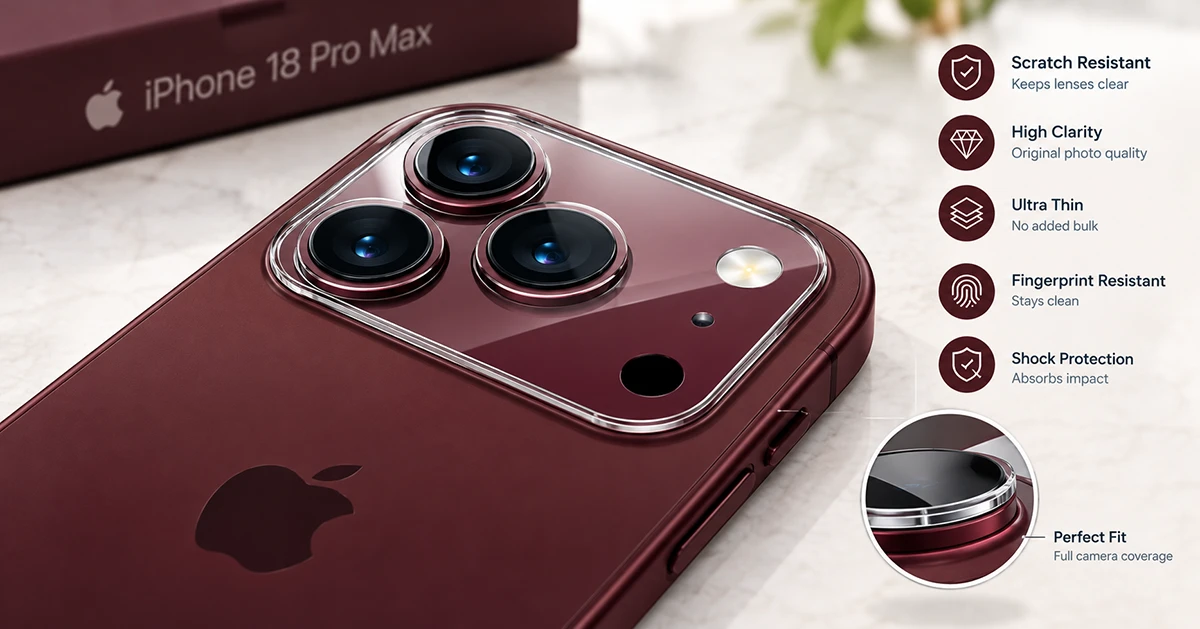
For most buyers, the best choice is a precisely fitted protector with good optical clarity, an anti-reflective coating where available, and enough clearance for the existing phone case. If you regularly take photos at night, test image quality carefully after installation.
Why Use an iPhone 18 Pro Max Camera Protector?
The rear camera area can encounter dust, grit, keys, and other hard surfaces during everyday use. A compatible camera protector adds a sacrificial layer that may take scratches or damage instead of the original camera glass.
Here are the main potential benefits:
- Scratch protection: Helps reduce the risk of everyday scuffs and scratches on covered surfaces.
- Added impact protection: May provide another protective layer against certain minor impacts, depending on the design.
- Cleaner camera area: Some designs cover more of the camera housing, helping protect the covered area from dust and dirt.
- Personalized appearance: Metal frames and colored lens rings can complement your iPhone’s finish.
- Replaceable protection: A damaged accessory can usually be replaced without replacing the original camera glass.
A camera protector is not a guarantee against damage. Its effectiveness depends on its construction, fit, adhesive, and the type of impact. A phone case with a raised camera lip can provide additional protection without placing another optical surface over the lenses.
Types of iPhone 18 Pro Max Camera Lens Protectors
There are two main styles to consider when shopping for a camera lens protector.
1. Individual Camera Lens Rings
Individual lens protectors cover each camera lens separately rather than covering the entire camera housing.
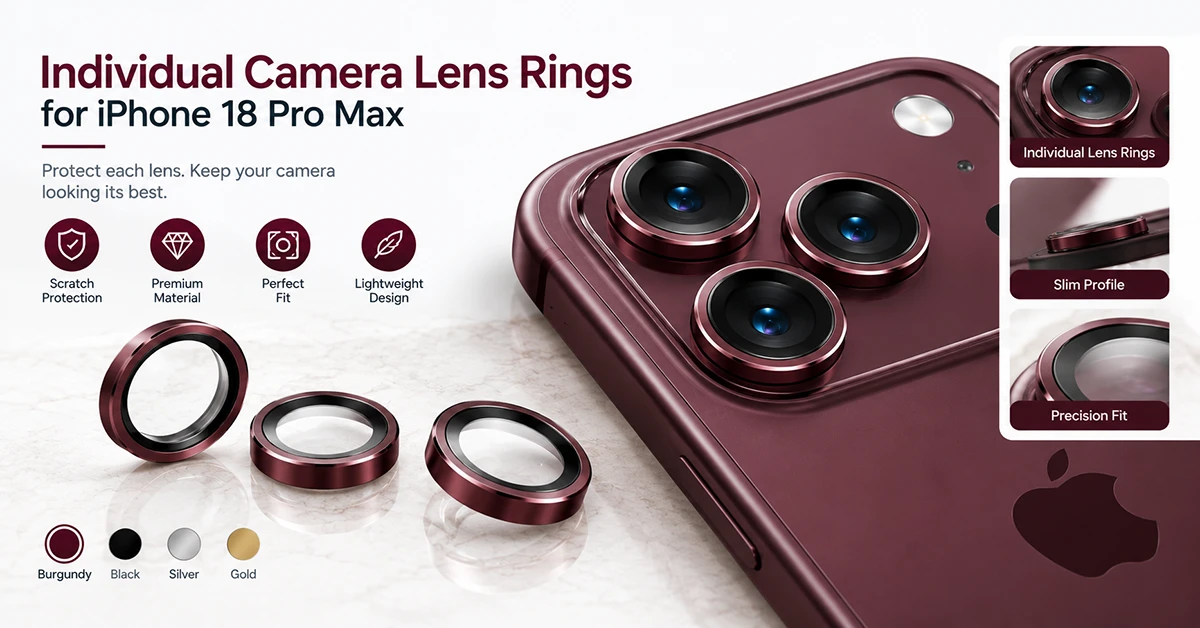
Advantages:
- Less additional glass surface than a full-coverage plate.
- May reduce the risk of unwanted reflections compared with a large, uncoated cover.
- Preserve more of the original camera housing’s appearance.
- Can be easier to replace individually, depending on the product.
Disadvantages:
- Each ring must align correctly with its lens.
- The surrounding camera housing remains exposed.
- Poorly fitted rings may interfere with a phone case.
- Optical quality still depends on the glass, coatings, and manufacturing quality.
Individual rings are worth considering if you prioritize photography and want to minimize the amount of extra material over the camera area.
2. Full-Coverage Camera Protectors
A full-coverage camera protector uses one piece or an integrated assembly to cover a larger section of the camera housing.
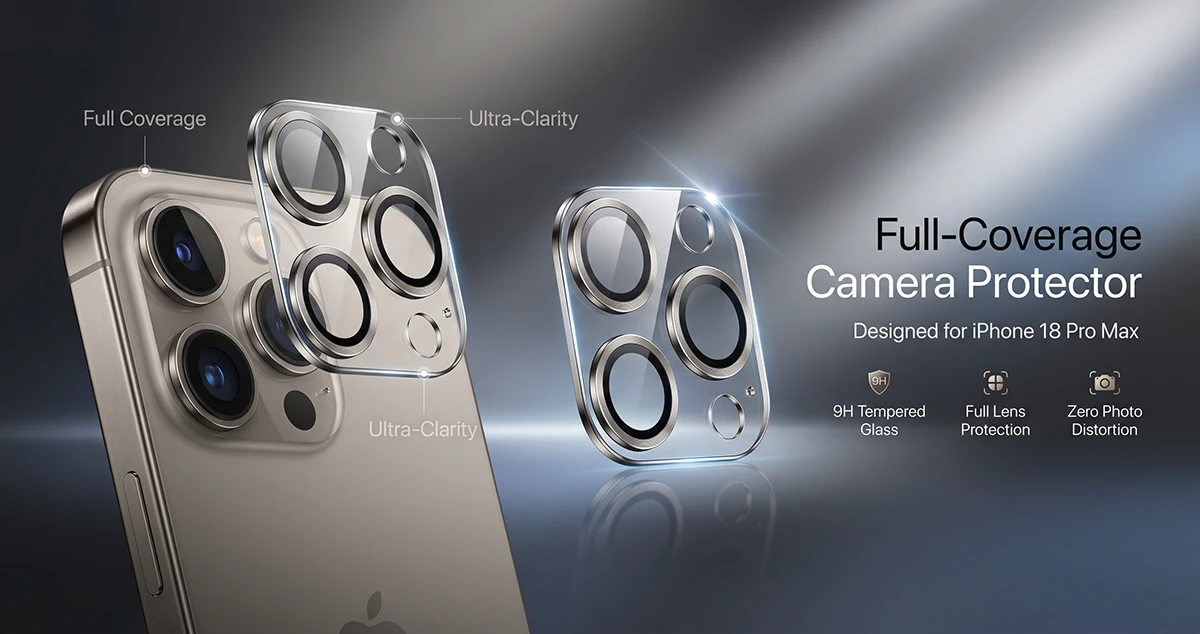
Advantages:
- Covers more of the camera area.
- Offers a uniform appearance.
- May protect parts of the camera housing that individual rings leave exposed.
- Can be simpler to position as one assembly.
Disadvantages:
- A larger glass surface can introduce reflections, glare, or flash halos.
- Some designs may collect dust around their edges.
- The outer dimensions must match the exact camera housing.
- Certain phone cases may not fit properly around the added thickness.
Full-coverage protection is worth considering if protecting the wider camera housing is a priority. Look for a design with well-documented optical performance rather than choosing based on coverage alone.
Does a Camera Protector Affect iPhone 18 Pro Max Photo Quality?
It can. Adding glass or another transparent material over a camera lens introduces an additional optical surface that may affect how light reaches the camera.
Possible problems include:
- Lens flare: Bright light sources can create unwanted streaks or reflections.
- Flash halos: Reflections around the flash may appear in some photographs.
- Reduced contrast: Extra reflections or poor-quality materials can make images look less crisp.
- Haze or softness: An incorrectly aligned or low-quality protector may affect image clarity.
- Night photography issues: Bright streetlights, headlights, and illuminated signs can reveal optical problems that are less noticeable in daylight.
These issues are not inevitable. A high-quality protector with appropriate anti-reflective coatings and precise cutouts may perform better than a poorly made alternative. Results depend on the particular product and shooting conditions.
How to Check Photo Quality After Installation
Take a few test photos immediately after applying the protector.
- Photograph a detailed subject in daylight.
- Take a picture of a bright light source in a darker environment.
- Test the camera flash at a suitable distance.
- Record a short video and check for haze or unusual reflections.
- Compare the results with photos taken before installation, using similar conditions.
If you notice new glare, ghosting, or softness, clean the protector first. If the problem continues, remove the accessory according to its instructions and retest the camera. If image quality returns to normal, consider a different protector or use a protective case without additional glass over the lenses.
What to Look for When Buying an iPhone 18 Pro Max Camera Protector
Not every camera lens protector offers the same level of protection or optical performance. Check these features before placing an order.
Exact Model Compatibility
Choose a product that explicitly lists the iPhone 18 Pro Max as compatible. Similar camera layouts do not guarantee a correct fit.
Check the dimensions, lens openings, sensor cutouts, and camera housing coverage. Do not assume that a protector made for an older iPhone Pro Max model will fit.
Optical Clarity and Anti-Reflective Coating
Look for clear optical materials and a documented anti-reflective coating. This is particularly important if you frequently shoot night scenes, use the flash, or record video under artificial lighting.
Be cautious of claims such as “HD clarity” or “zero glare” without supporting specifications or credible testing.
Tempered Glass Quality
Many camera protectors use tempered glass, sometimes combined with an aluminum or other protective frame.
A stated hardness rating may help you compare products, but it does not establish overall impact resistance or guarantee that the protector will never scratch or break. Consider construction, fit, coating, and replacement availability together.
Case Compatibility
A protector that fits the camera perfectly on its own may not work with every phone case.
Before buying, check whether the accessory is case-friendly and whether the manufacturer identifies compatible case designs. A raised or tightly fitted case opening can press against the protector, causing it to lift or become misaligned.
Easy Installation
Installation trays, alignment guides, cleaning wipes, and dust-removal stickers can make installation easier.
A two-pack can also be useful if the first application fails or the installed protector needs replacement. However, the number of protectors included should not outweigh the importance of fit and optical quality.
Appearance and Color
Camera protectors are available in clear, black, metallic, and other finishes. Choose a design that complements your phone without obstructing the lenses, flash, or sensors.
A stylish finish is a bonus, but it should not come at the expense of photography performance.
How to Install an iPhone 18 Pro Max Camera Lens Protector
Correct installation helps prevent dust, bubbles, misalignment, and adhesive problems.
Step 1: Remove the phone case.
Take off the case so you can access the entire camera area without interference.
Step 2: Clean the camera area.
Use the cleaning materials supplied with the protector or a suitable microfiber cloth. Remove fingerprints, dust, and residue carefully.
Step 3: Inspect the protector.
Check for dust, scratches, defects, and the correct orientation. Confirm that every lens and sensor opening lines up with the phone.
Step 4: Align the protector.
If the product includes an installation tray, follow its instructions. Otherwise, position the protector carefully before allowing the adhesive to contact the camera area.
Step 5: Apply gentle pressure.
Press according to the manufacturer’s instructions. Avoid excessive force, which could damage the accessory or place unnecessary pressure on the camera area.
Step 6: Inspect the finished installation.
Look for bubbles, dust, uneven edges, or obstructed openings. Reinstall the case and check that it does not push against the protector.
Step 7: Test the camera.
Take photographs and record a short video with each available rear camera mode. Test the flash and low-light performance as well.
If the protector is cracked, loose, or significantly misaligned, replace it rather than continuing to use it.
Should You Use a Camera Protector With an iPhone 18 Pro Max Case?
Yes, you can use both, provided the accessories are compatible.
A case with a raised camera edge can help prevent the camera area from directly contacting flat surfaces. Adding a camera protector may provide another layer of protection, particularly if your phone frequently travels in a bag or pocket with other objects.
However, combining a thick camera protector with a tightly fitted case can cause problems. The case may press against the protector, lift its edges, or leave gaps where dust collects.
For the best fit:
- Choose a case with a raised camera lip.
- Verify that the case opening accommodates the protector.
- Avoid accessories that overlap the camera lenses or flash.
- Check the edges periodically for lifting or trapped debris.
- Remove damaged accessories promptly.
If your main concern is everyday protection, a well-designed case may be sufficient. A separate camera protector is an optional extra rather than a universal requirement.
Camera Protector vs. Camera Protection From a Case
| Feature | Camera lens protector | Protective phone case |
|---|---|---|
| Lens scratch protection | Covers the selected lens or camera area | Depends on camera-lip design |
| Camera housing protection | Depends on coverage | Often protects the surrounding edges |
| Optical trade-offs | May introduce glare or reflections | No extra glass over the lens in a typical design |
| Installation | Requires careful alignment | Usually straightforward |
| Compatibility concerns | Must match the camera layout | Must fit the phone and camera opening |
| Best use | Additional surface protection | Everyday protection for the phone |
For many people, a case with a raised camera edge is a sensible starting point. Add a lens protector if you want extra coverage and can find one that preserves image quality.
Final Verdict: Is a Camera Protector Necessary for iPhone 18 Pro Max?
An iPhone 18 Pro Max camera protector can provide useful additional protection, but the right choice depends on your priorities.
Choose individual lens rings if you want targeted protection and are particularly concerned about optical reflections. Choose a full-coverage protector if protecting more of the camera housing is your priority and you can find a design with suitable optical performance.
Before purchasing, confirm exact-model compatibility, check case clearance, look for credible anti-reflective specifications, and test the camera after installation.
Ultimately, the best camera protector is not necessarily the thickest or most expensive one. It is the accessory that fits correctly, protects the surfaces you care about, and allows you to continue taking clear photos and videos.

1 thought on “iPhone 18 Pro Max Camera Protector: What to Know Before Buying”