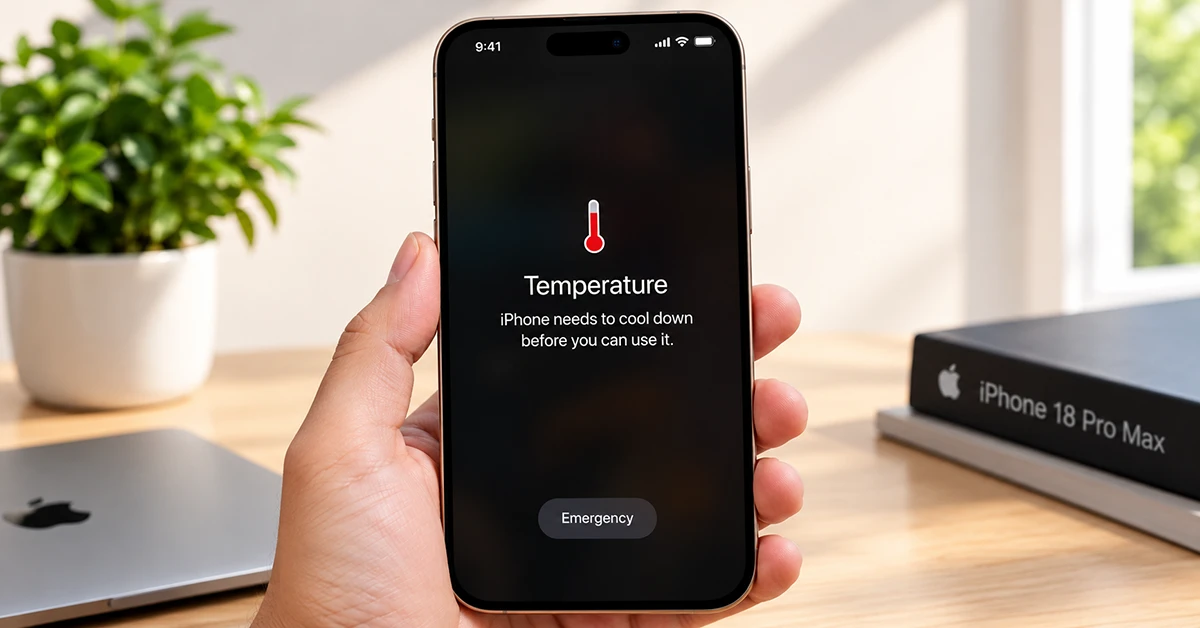
If your iPhone 18 Pro Max feels hot to the touch, you’re not imagining it — and in most cases, it’s not a defect either. A warm iPhone 18 Pro Max during heavy tasks like gaming, charging, or camera use is normal. True overheating — a phone that stays hot during light use, dims unexpectedly, or shows a temperature warning on screen — is rarer and usually traceable to a specific cause you can fix yourself.
Here’s how to tell the difference, and what to do about it.
What’s Different About the iPhone 18 Pro Max’s Cooling
Apple redesigned the thermal system for this generation. According to Apple’s official announcement, the redesigned vapor chamber has three times more surface area than the system used in the iPhone 17 Pro, and the chip-to-chamber heat path was also changed so the A20 Pro silicon makes more direct contact with the vapor chamber.
In practice, that means the phone should sustain peak performance longer before throttling kicks in, and it spreads heat across a wider area of the chassis instead of concentrating it near the chip.
That said, a larger vapor chamber gives the phone more thermal headroom, but it doesn’t make it immune to heat — physics still applies. The 18 Pro Max should feel warm less often and recover faster, but demanding tasks will still generate heat.
Warm vs. Overheating: Know the Difference
Warm (normal): The back of the phone or camera area feels noticeably warm during or right after a demanding task, then cools down within a few minutes of rest.
Overheating (worth investigating): The phone stays hot during idle or light use, a temperature-warning screen appears, the phone won’t charge, apps crash repeatedly, or the heat doesn’t subside after 15–20 minutes off-charger and out of the sun.
Common Causes of Heat on the iPhone 18 Pro Max
Initial setup and data migration. Restoring from backup, downloading apps, re-indexing photos, and verifying files can all run in the background simultaneously right after setup — even once the screen looks “done.” This is one of the most common first-week heat complaints, and it’s temporary.
Fast charging and wireless charging. Charging at high wattage, especially combined with wireless charging or a case that traps heat, adds thermal load on top of whatever else the phone is doing. Charging while actively using the phone (navigation, video calls) compounds this.
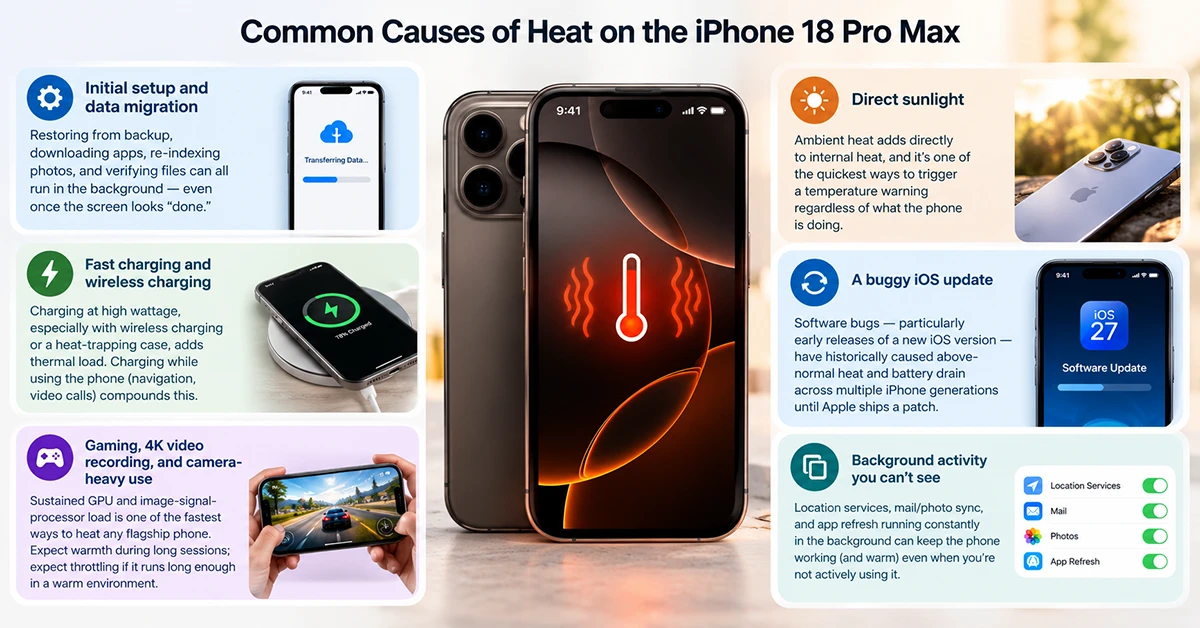
Gaming, 4K video recording, and camera-heavy use. Sustained GPU and image-signal-processor load is one of the fastest ways to heat any flagship phone. Expect warmth during long sessions; expect throttling (lower frame rates, dimmed screen) if the session runs long enough in a warm environment.
Direct sunlight. Ambient heat adds directly to internal heat, and it’s one of the quickest ways to trigger a temperature warning regardless of what the phone is doing.
A buggy iOS update. Software bugs — particularly early releases of a new iOS version — have historically caused above-normal heat and battery drain across multiple iPhone generations until Apple ships a patch. If heat started right after an update and wasn’t present before, this is worth suspecting.
Background activity you can’t see. Location services, mail/photo sync, and app refresh running constantly in the background can keep the phone working (and warm) even when you’re not actively using it.
How to Reduce iPhone 18 Pro Max Overheating
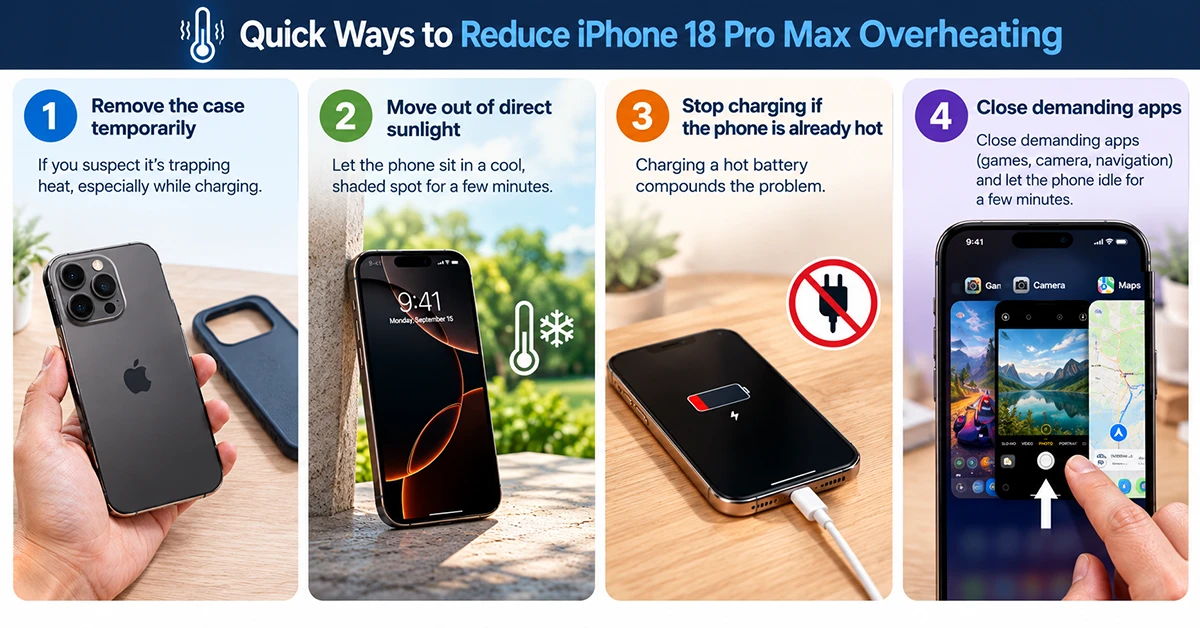
- Remove the case temporarily if you suspect it’s trapping heat, especially while charging.
- Move out of direct sunlight and let the phone sit in a cool, shaded spot for a few minutes.
- Stop charging if the phone is already hot — charging a hot battery compounds the problem.
- Close demanding apps (games, camera, navigation) and let the phone idle for a few minutes.
- Check for a pending iOS update — if a bug is the cause, Apple typically patches thermal issues within one or two point releases.
- Review Settings > Battery for apps consuming unusual background power.
- Restart the phone if heat persists without an obvious cause — this clears stuck background processes.
- Avoid wireless charging for extended sessions in warm environments; wired charging generally runs cooler.
When to Contact Apple
If your iPhone 18 Pro Max stays hot with no clear trigger, shows a temperature-warning screen repeatedly, won’t charge past a certain point, or the battery drains unusually fast alongside the heat, that combination points to a possible hardware or battery issue rather than normal thermal behavior.
At that point, it’s worth having Apple Support or an Apple Store diagnose it rather than continuing to troubleshoot on your own.
FAQ
Is it normal for a new iPhone 18 Pro Max to run hot?
Yes, especially in the first day or two after setup, while background migration and indexing finish.Does the iPhone 18 Pro Max overheat more than the 17 Pro Max?
It shouldn’t — the larger vapor chamber is designed to delay thermal throttling and spread heat more effectively, though both can still get warm under heavy combined loads.Can an iOS update cause overheating?
Yes. Software bugs in new iOS releases have caused temporary overheating in past iPhone generations, usually resolved in a follow-up update.Should I use a cooling accessory?
Most users won’t need one. They can help in edge cases — gaming while fast-charging in a warm room, for example — but they’re not necessary for normal use.
